
Security guard attendance tracking answers a question every client eventually asks: was a guard really at my site for every hour I paid for? The method you use to record attendance decides how confidently you can answer, how quickly you spot an empty post, and how much time your team spends fixing payroll and invoices afterwards.
This guide compares the main guard attendance methods, from paper registers to geofenced mobile check-ins with QR checkpoints, and explains what each one actually proves.
What guard attendance tracking needs to prove
Before comparing methods, be clear on what a good attendance record must show. For each shift you want to know:
- Who worked, and that it was really that person.
- Where they were: at the right site and post, not somewhere nearby.
- When they arrived and left, recorded at the time rather than written in later.
- What they did during the shift: patrols completed, checkpoints visited.
- That the record has not been changed, or that any change is logged with a reason.
Most attendance problems in security come from methods that prove only one or two of these.
The common problem: buddy punching and proxy attendance
Buddy punching (also called proxy attendance) is when one person records attendance for another: signing a register for a colleague who is late, or checking in on someone else's behalf. In security it can also mean a guard who checks in and then leaves the post.
It matters more in security than most industries because the client is paying for presence. An empty post is both a security risk and a billing problem. Good attendance tracking should make proxy attendance difficult and visible.
Guard attendance methods compared
| Method | Who | Where | When | Proxy risk | Live visibility |
|---|---|---|---|---|---|
| Paper register / logbook | Weak | Weak | Weak | High | None |
| Phone or radio call-in | Medium | Weak | Medium | Medium | Partial |
| Fixed biometric terminal | Strong | Strong (terminal location) | Strong | Low | Depends on connectivity |
| Mobile app with GPS | Medium | Medium | Strong | Medium | Yes |
| Mobile app with geofencing + QR checkpoints | Medium–strong | Strong | Strong | Low | Yes |
Paper registers and logbooks
The traditional sign-in sheet at the gatehouse. Cheap and familiar, but easy to fill in later, easy to sign for someone else, and impossible to see from the office until someone collects the sheets. Transcribing them into payroll is slow and error-prone.
Best for: a single site with low risk, as a backup to a digital method.
Phone or radio call-ins
Guards call a control room at the start of the shift and at set intervals. This gives some live visibility, but you only know that someone called, not where they were. It also ties up control-room staff.
Best for: supplementing other methods during night shifts.
Fixed biometric terminals
Fingerprint or face terminals installed at the site. They strongly prove who and when, and location is implied by where the terminal is installed. The downsides are hardware cost per site, installation (which some clients will not allow), maintenance, and the fact that a terminal cannot show where a guard went after checking in. Biometric data is also regulated in many countries, so check the privacy rules before using it.
Best for: large, long-term sites where the client permits fixed hardware.
Mobile app with GPS
Guards check in from a smartphone app that records their GPS location at the time. No hardware is needed at the site, and supervisors see check-ins live. On its own, a GPS point can be imprecise in dense cities or inside large buildings, and it does not prove the guard reached a specific post.
Mobile app with geofencing and QR checkpoints
This combines two checks:
- Geofencing only accepts a check-in when the phone is inside a defined boundary around the site. See how geofencing works for security guards.
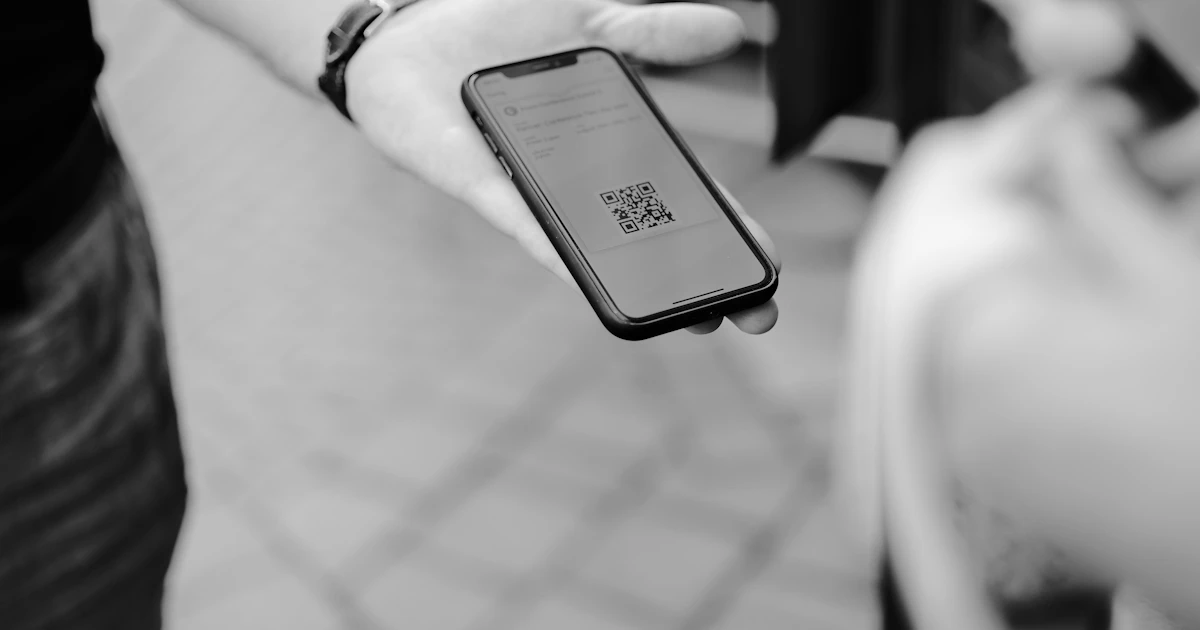
- QR checkpoints are codes fixed at specific posts or patrol points. Scanning one proves the guard was physically at that point, even inside a building where GPS is weak.
Together they prove that the guard was at the site and at the post, at a recorded time, without installing hardware. This makes proxy attendance much harder, because the person checking in must be physically present with the phone.
How to choose the right attendance method
Ask four questions:
- What does the client need as proof? Some clients only want a monthly hours report. Others expect patrol evidence and time-stamped check-ins.
- Can you install hardware? If not, mobile methods are the practical option.
- How many sites do you run? Paper and phone methods do not scale past a few sites without large admin overhead.
- What happens to the data next? If attendance has to be retyped into payroll and invoices, every method becomes slow. The best method feeds those systems directly.
Many companies combine methods: a mobile app with geofencing and QR checkpoints as the main record, with a paper log on site as a fallback if a phone fails.
Rolling out a new attendance system
Changing how guards record attendance affects every shift, so plan it:
- Explain why. Frame it as protecting guards too: accurate records mean accurate pay and evidence that they were on post.
- Be clear about privacy. Tell guards what is tracked and when. Location should be checked at check-in, check-out and checkpoints, not tracked around the clock off duty.
- Start with one site. Fix issues like phone compatibility, QR code placement and geofence size before rolling out.
- Define the fallback. Decide what guards do if their phone dies or has no signal, and how supervisors correct records with a reason logged.
From attendance records to payroll and invoices
Attendance data is only useful if it flows into the rest of the business. Verified check-in and check-out times should become hours for payroll and billable hours for client invoices, without anyone retyping them. That is also how you avoid billing disputes with clients: the invoice and the attendance evidence come from the same record.
DutyFlex validates every check-in with geofencing and QR checkpoints, shows attendance live across all sites, keeps a full audit log of any changes, and turns verified attendance into invoice-ready billing and payroll.
Frequently asked questions
What is the best way to track security guard attendance?
For most security companies, a mobile app with geofenced check-ins and QR checkpoints offers the best balance: it proves the guard was at the site and at the post, at a recorded time, without installing hardware, and gives supervisors live visibility.
How do you stop buddy punching in security?
Use a method that requires the guard to be physically present with their own device: geofenced check-ins that only work inside the site boundary, plus QR checkpoints scanned at the post. Review exceptions daily and log every manual correction.
Is GPS tracking of security guards legal?
In many countries it is allowed for work purposes when employees are informed and tracking is limited to working time, but rules vary. Check the employment and data protection laws where you operate, and be transparent with guards about what is tracked.
Can guard attendance data be used for client billing?
Yes. Verified check-in and check-out times are the most reliable basis for billable hours, and sharing the attendance evidence with the invoice reduces disputes.