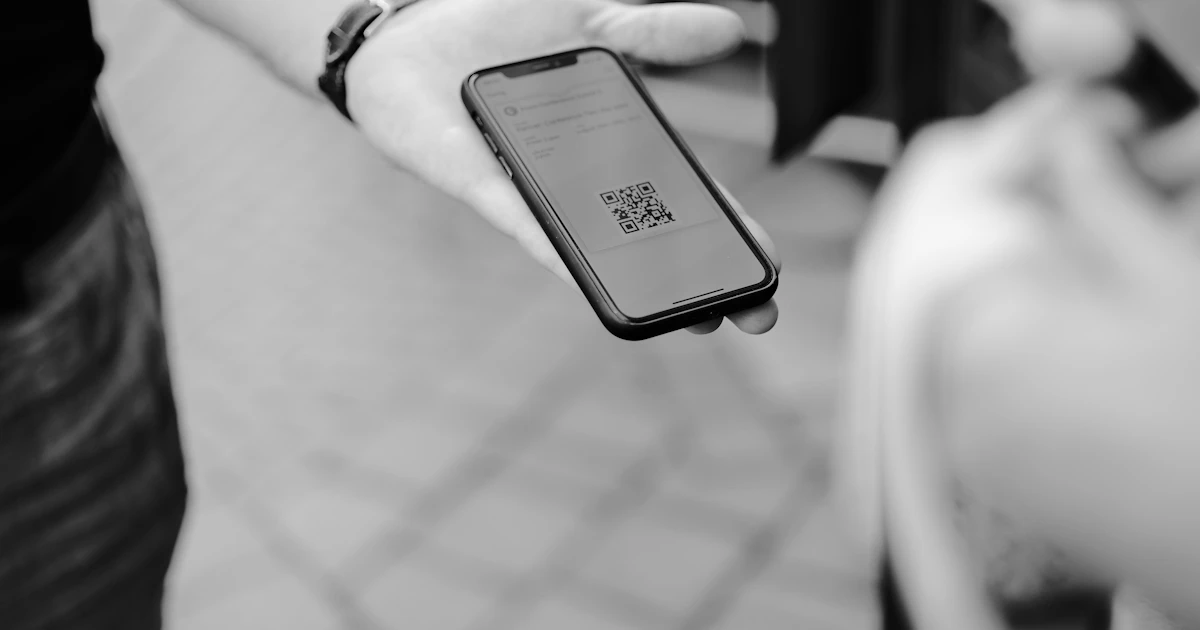

Geofencing is one of the simplest ways to confirm that a security guard is actually at the site they are scheduled to protect. Instead of trusting a signature on a register, the guard's phone confirms their location at the moment they check in, and the check-in is only accepted inside the site's boundary.
This guide explains what geofencing is, how it works for guard attendance, how to set up a geofence that is accurate without frustrating your team, where it falls short, and how to roll it out responsibly.
What is geofencing?
A geofence is a virtual boundary drawn around a real location, usually a circle with a centre point and a radius, or a shape traced around a site on a map. Software compares a device's location with that boundary to tell whether the device is inside or outside.
For security guards, geofencing is usually used to:
- Accept check-ins only inside the site boundary, so a guard cannot check in from home or a nearby café.
- Flag check-outs outside the boundary, which can show a guard leaving early.
- Confirm location at key moments of a shift without continuously tracking the guard.
How geofencing works for guard attendance
A typical geofenced check-in looks like this:
- The guard opens the attendance app at the start of the shift.
- The phone determines its location using GPS, assisted by Wi-Fi and mobile network signals.
- The app compares that location with the site's geofence.
- If the guard is inside, the check-in is recorded with the time and location. If not, it is rejected or flagged for a supervisor.
- Supervisors see the check-in on a live dashboard, alongside guards who have not checked in yet.
The same check runs at check-out, so you know both when the guard arrived and when they left, and that they were on site both times.
Setting the right geofence radius
The radius is the most important setting. Too small, and guards at the right site get rejected because of normal location drift. Too large, and the geofence stops proving much.
Practical guidelines:
- Start with the site footprint. Draw the boundary around the actual property, including car parks, gatehouses and outbuildings guards use.
- Allow for accuracy. Phone location is usually accurate to within tens of metres outdoors, and less accurate in dense city centres or inside large buildings. A radius somewhere around 100–200 metres is a common starting point for a single building, but test on site.
- Use larger boundaries for large sites. Industrial parks, campuses, ports and construction sites may need a custom shape rather than a circle.
- Separate nearby sites. If two client sites are next to each other, make sure their geofences do not overlap, or guards could check in to the wrong site.
- Review rejected check-ins. If honest guards are regularly rejected at one site, the geofence needs adjusting, not the guards.
Where geofencing falls short
Geofencing is strong evidence, but it has limits you should plan for:
- Indoors and underground. GPS is weak inside large buildings, basements and car parks. The phone may report a less accurate location.
- Dense city centres. Tall buildings reflect signals and reduce accuracy.
- It proves the site, not the post. A guard can be inside the boundary but not at the specific post or patrol route.
- Location spoofing. Some apps can fake a phone's location. Good attendance apps try to detect this, and combining methods makes it far harder.
Geofencing plus QR checkpoints
The most reliable approach pairs geofencing with QR checkpoints: printed codes fixed at specific posts and patrol points. Scanning a checkpoint proves the guard was physically at that exact spot, which fills the gaps geofencing leaves:
| Geofencing | QR checkpoints | Both together | |
|---|---|---|---|
| Proves the guard is at the site | Yes | Partly | Yes |
| Proves the guard is at a specific post | No | Yes | Yes |
| Works well indoors | Limited | Yes | Yes |
| Hardware needed | None | Printed codes | Printed codes |
| Resistant to proxy attendance | Good | Good | Strong |
For a wider comparison of attendance methods, including biometrics and paper registers, see our guide to guard attendance tracking.
Rolling out geofencing to your guards
Guards may worry that geofencing means being tracked all day. Address this directly:
- Explain what is recorded. Location is checked at check-in, check-out and checkpoint scans during working hours, not tracked off duty.
- Explain why. Verified attendance protects guards from disputes about whether they were on post, and makes pay accurate.
- Follow local law. Many countries require employees to be told about location data collection, and some require a specific legal basis or consultation. Check the rules where you operate.
- Test each site first. Have a supervisor test check-ins at every gate and post before go-live.
- Set a fallback. Agree what happens if a phone has no signal or battery, and how a supervisor can approve a manual check-in with a reason recorded.
Benefits for clients and billing
For clients, geofenced attendance is evidence that the hours they pay for were delivered at their site. For you, it means:
- empty posts are spotted within minutes, not when the client complains
- payroll is based on verified hours, not handwritten sheets
- invoices are backed by time-stamped location evidence, which helps prevent billing disputes
DutyFlex validates every guard check-in with geofencing and QR checkpoints, shows live coverage across all your sites, and feeds verified attendance straight into invoicing and payroll.
Frequently asked questions
What is geofencing in security guard management?
Geofencing is a virtual boundary around a client site. A guard's check-in is only accepted when their phone is inside that boundary, which confirms they were on site when the shift started and ended.
How accurate is geofencing for guard attendance?
Outdoors, phone location is typically accurate to within tens of metres, which is enough to confirm a guard is at a site. Accuracy drops indoors and in dense city centres, which is why geofencing is often combined with QR checkpoints at specific posts.
What radius should a geofence be for a security site?
It depends on the site. A circle of roughly 100–200 metres is a common starting point for a single building, while large sites need a custom boundary. Test on site and adjust if honest guards are being rejected.
Does geofencing track guards all the time?
It does not have to. Most guard attendance systems check location only at check-in, check-out and checkpoint scans. Be transparent with guards about what is recorded and follow local privacy rules.