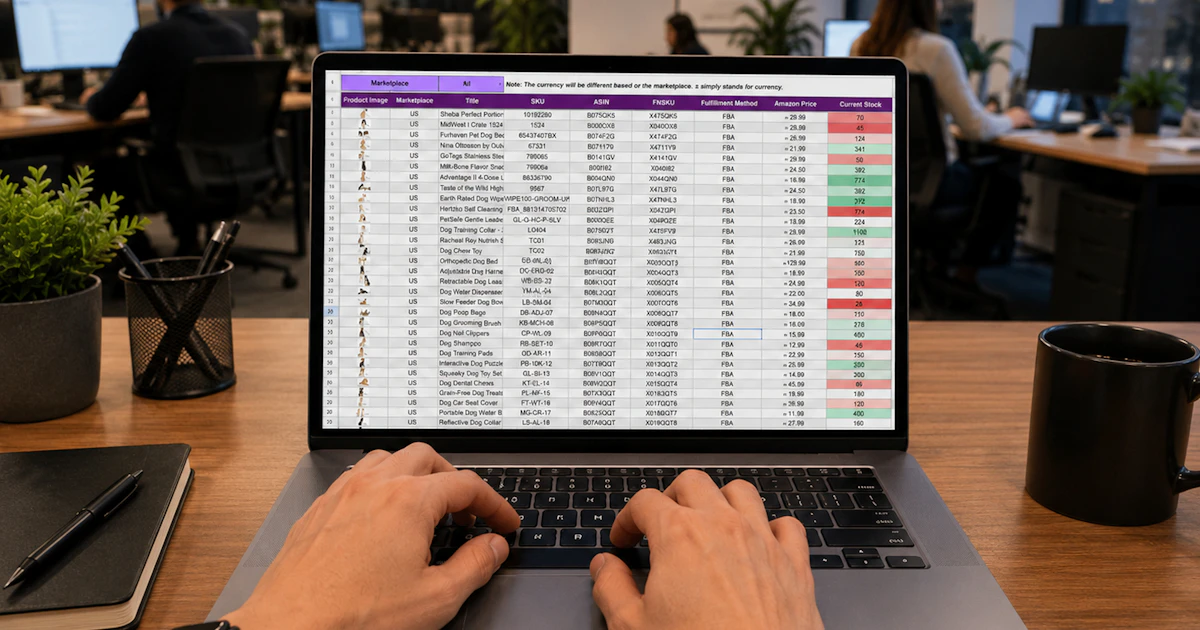

Managing one security site is mostly about people. Managing twenty is mostly about information. As a security company adds client sites, the hard part is no longer putting a guard at a post; it is knowing, at any moment, which posts are covered, which are not, and what that means for payroll and billing.
This guide covers how security companies keep control across multiple client sites: standardising each site, seeing coverage live, managing by exception, and replacing scattered spreadsheets and group chats with one source of truth.
Why multi-site security gets hard
Growth usually exposes the same problems:
- Information is scattered. Schedules in spreadsheets, attendance on paper or in chat groups, client requests in email, and employee records in folders.
- Problems are discovered late. An empty post is noticed when the client calls, not when the shift starts.
- Every site works differently. Each supervisor has their own way of recording attendance and handovers.
- Admin grows faster than revenue. Each new site adds hours of manual work for operations, HR and finance.
- Month-end becomes a scramble to reconcile hours for payroll and invoices.
None of these are solved by working harder. They are solved by structure and the right tools.
Standardise every site
Before adding tools, define what "a site" means in your company. For each site, record the same information in the same format:
- client, site address and site contacts
- posts, post hours and contracted hours
- required licences, training and induction for each post
- geofence boundary and checkpoint locations
- emergency procedures and escalation contacts
- billing rates and approval rules for extra hours
A standard site profile makes it possible to move guards between sites safely, onboard new supervisors faster, and compare sites fairly.
See coverage live, across all sites
The single most valuable view for a multi-site operation is a live coverage board: every post, every shift, showing who is checked in, who is late and which posts are empty.
To make that board trustworthy, check-ins must be verified rather than self-reported. Mobile check-ins confirmed by geofencing and QR checkpoints at each post show that guards are actually at the right site and post, not just that someone said they were.
Manage by exception
With many sites, nobody can watch everything. Focus attention on exceptions:
- Missed check-in: a post has no guard a set number of minutes after the shift starts
- Late check-in: a guard arrived after the shift start
- Early check-out: a guard left before the shift ended
- Missed checkpoint: a patrol point was not scanned on time
- Expiring documents: a guard's licence or certificate expires soon
Each exception should go to the person who can act on it, with a clear escalation if nobody responds. Supervisors then spend their time fixing problems instead of hunting for them.
Organise supervision by region or client
As you grow, group sites so each supervisor has a manageable portfolio:
- By region, so supervisors can visit sites and deploy relief guards quickly
- By client, for large clients with many sites and one main contact
- By site type, when sites need specialist skills (events, industrial, retail)
Give each supervisor a view of their own sites, and give operations managers the full picture.
Keep one source of truth
The biggest efficiency gain in multi-site security comes from using the same records for everything:
| Activity | Spreadsheets and chat | One connected system |
|---|---|---|
| Scheduling | Separate file per site or week | One schedule across all sites |
| Attendance | Paper sheets, messages, call logs | Verified check-ins on one dashboard |
| Payroll | Hours retyped from sheets | Hours taken from verified attendance |
| Invoicing | Hours retyped again, by client | Invoices generated from the same attendance |
| Employee records | Folders and email attachments | One profile per guard with documents and expiry dates |
| Audit trail | Hard to reconstruct | Every change logged |
When attendance is captured once and used everywhere, month-end reconciliation shrinks from days to hours, and errors between payroll and invoices disappear. See spreadsheets vs guard management software for when to make the switch.
Report to clients consistently
Multi-site clients want a consistent picture across all their locations. Send each client a regular report showing:
- contracted vs delivered hours per site
- late or missed check-ins and how they were resolved
- patrol and checkpoint completion
- any incidents or changes to service
Consistent reporting turns your attendance data into proof of value at renewal time, and makes billing disputes much rarer.
KPIs to track across sites
Pick a few metrics and track them weekly, per site and per supervisor:
- Coverage rate: delivered hours ÷ contracted hours
- On-time check-in rate
- Exceptions resolved within target time
- Overtime share of total hours
- Guard turnover per site
- Invoice queries per client
DutyFlex gives operations, HR and finance teams one workspace for every client site: a centralized dashboard with live guard activity, check-ins verified by geofencing and QR checkpoints, attendance reports, automated invoicing, payroll and audit logs.
Frequently asked questions
How do security companies manage multiple sites?
They standardise site information, use verified mobile check-ins to see coverage live across all sites, alert supervisors to exceptions such as missed check-ins, and run scheduling, attendance, payroll and invoicing from one connected system.
What is the biggest challenge in multi-site security management?
Knowing in real time which posts are covered. Without verified, live attendance, empty posts are found late, and month-end payroll and invoicing turn into manual reconciliation.
When should a security company stop using spreadsheets?
Usually when you run more than a few sites, when month-end reconciliation takes days, or when posts are left empty without anyone noticing quickly. These are signs that you need one connected system.
What KPIs should a multi-site security operation track?
Coverage rate, on-time check-ins, time to resolve exceptions, overtime share, guard turnover per site and invoice queries per client are a practical starting set.